TAG
Redundancy Control
Redundancy Control helps you identify and manage situations where multiple JVMs are sending excessive or duplicate data to Intelligence Cloud. This includes crash loops where JVMs repeatedly restart and send the same data, or scenarios with many similar JVM instances running simultaneously. By controlling this redundant data flow, you can optimize your usage quota and ensure that Intelligence Cloud stores only unique, valuable information.
Based on tags and other attributes, Intelligence Cloud can prevent redundant JVMs from connecting at all: they are not registered, receive no VM ID, and are not visible in JVM Inventory.
Configuring Redundancy Control
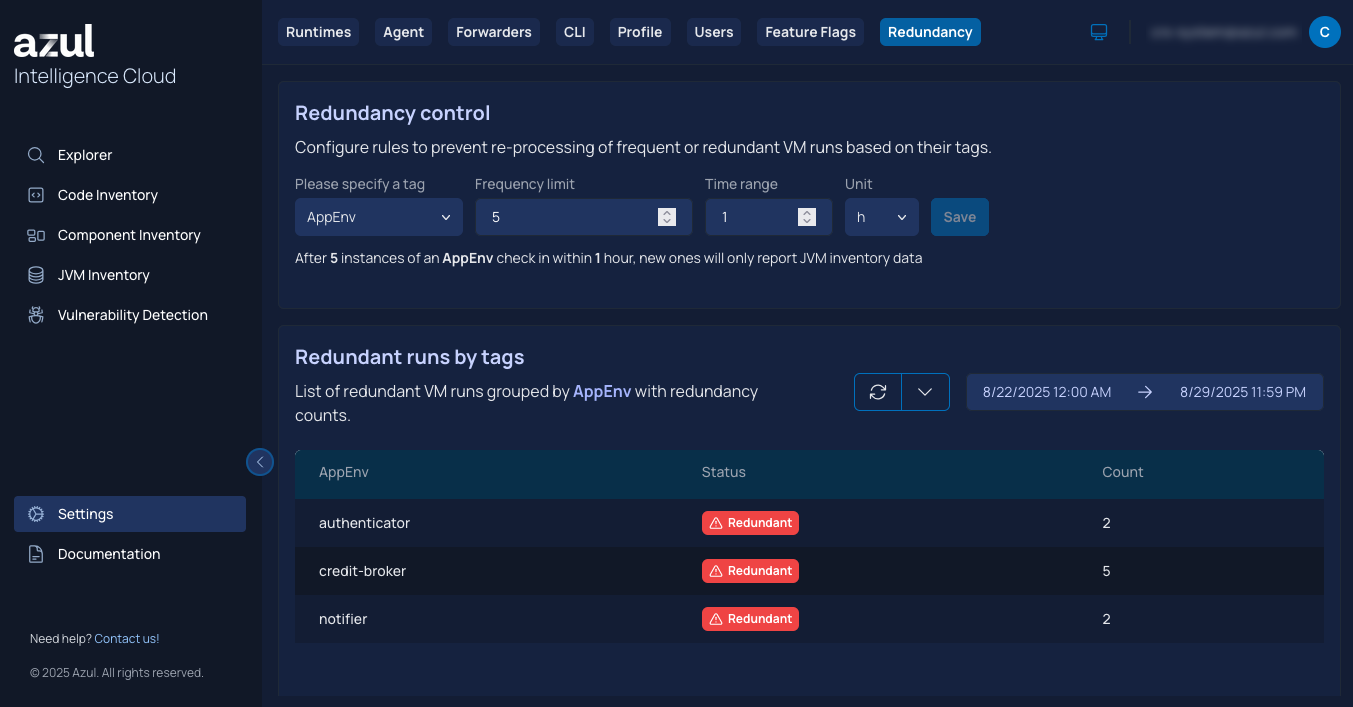
As an administrator, you can configure Redundancy Control in the Web UI > Settings > Redundancy.
Rule types
A redundancy rule matches JVMs against a single attribute of your choice. The following rule types are supported:
| Rule type | Matches on | Matching behavior |
|---|---|---|
A tag value (e.g. |
Contains match against the tag value only — the tag key itself is never matched. For example, a pattern of |
|
|
Machine hostname |
Contains match |
|
Path to the JDK installation |
Contains match |
|
MAC address |
Starts-with match. Matches if any MAC address on the machine satisfies the prefix. |
|
IP address |
Starts-with match. Matches if any IP address on the machine satisfies the prefix. |
|
Machine identifier |
Exact match (case-sensitive) |
Only one rule type can be active at a time. For example, you may configure several rules against AppEnv tag values, or several rules against HOSTNAME, but not both simultaneously. Switching the active rule type is atomic: rules for the previously active type are disabled (not deleted) and their counters are preserved, so switching back re-enables them with their original counts intact.
How rules are evaluated
Each rule specifies a pattern, a quota, a time period, and a priority. Rules are evaluated in priority order (the highest priority first). The first matching rule is applied.
An example TAG rule:
-
Tag:
AppEnv -
Pattern:
prod -
Quota: 60
-
Period: 1 hour
With this configuration, once 60 JVMs whose AppEnv tag contains prod have connected within the hour, additional matching JVMs are throttled. This rule does not affect JVMs with other tag values.
If no specific rule matches a JVM, the global rule (fallback) applies. Unlike specific rules, the global rule enforces a separate quota per distinct attribute value — each unique tag value, hostname, or other attribute value gets its own independent quota bucket. The global rule’s quota and time period are configurable, but it cannot be created or deleted, only updated, and it does not appear in rule list responses.
If a JVM starts without the attribute a rule is configured against (for example, no tags), it is treated as UNDEFINED/Undefined and evaluated against the global rule accordingly.
You can configure up to 5 specific rules per rule type by default; contact Azul Support if you need a higher limit.
Throttling behavior
When a JVM is identified as redundant, throttling takes effect at authentication time, before the JVM is issued an identity within Intelligence Cloud:
-
No VM ID is issued, so the JVM does not register with Intelligence Cloud and cannot report further data for that run.
-
Throttled JVMs are not visible in JVM Inventory.
JVM agents older than version 1.1.75 are not affected by this behavior and continue to be throttled using the previous mechanism, after connecting. These agents do appear in JVM Inventory, as throttling occurs after the initial connection and registration.
Monitoring Redundancy Control
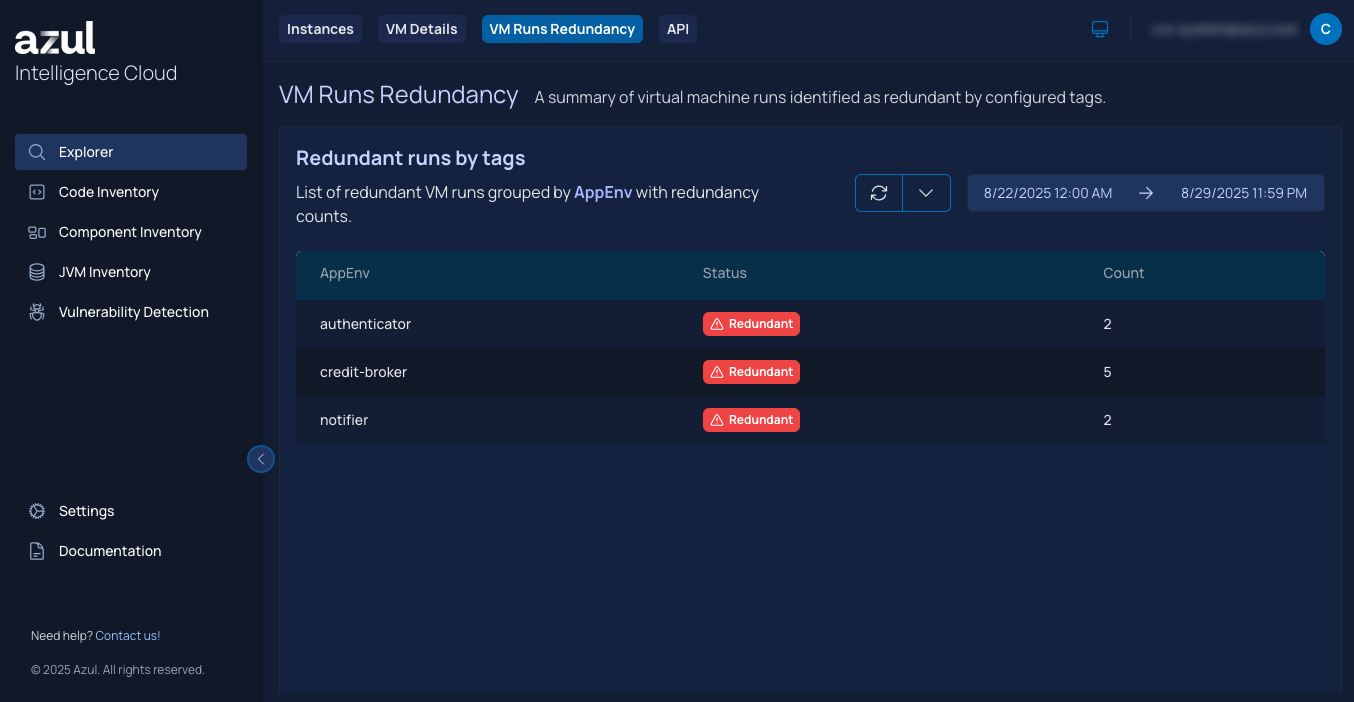
You can get a summary of JVM runs identified as redundant by configured rules in the Web UI > Explorer > VM Runs Redundancy. This view reports, per rule and per matched value, how many JVM runs have been throttled.
Managing Redundancy Rules via the API
In addition to the Web UI, Redundancy Control rules can be managed directly through the Intelligence Cloud REST API. This is useful for automating rule configuration or integrating with your own tooling.
| Purpose | Endpoint pattern |
|---|---|
Get, replace, or delete all rules for a rule type |
|
Get, create/replace, update, or delete a single rule |
|
Get or update configuration (active rule type, global rule settings) |
|
Valid ruleType values (case-insensitive) are HOSTNAME, IP_ADDRESS, MAC_ADDRESS, MACHINE_ID, and JDK_PATH. TAG rule sets use the dedicated /rules/tag path with a required tagName query parameter.