LDAP Config Source
The LDAP configuration source reads properties from a predefined LDAP directory.
Configuration
The LDAP Config Source can be configured by using the Admin Console or asadmin commands.
From the Admin Console
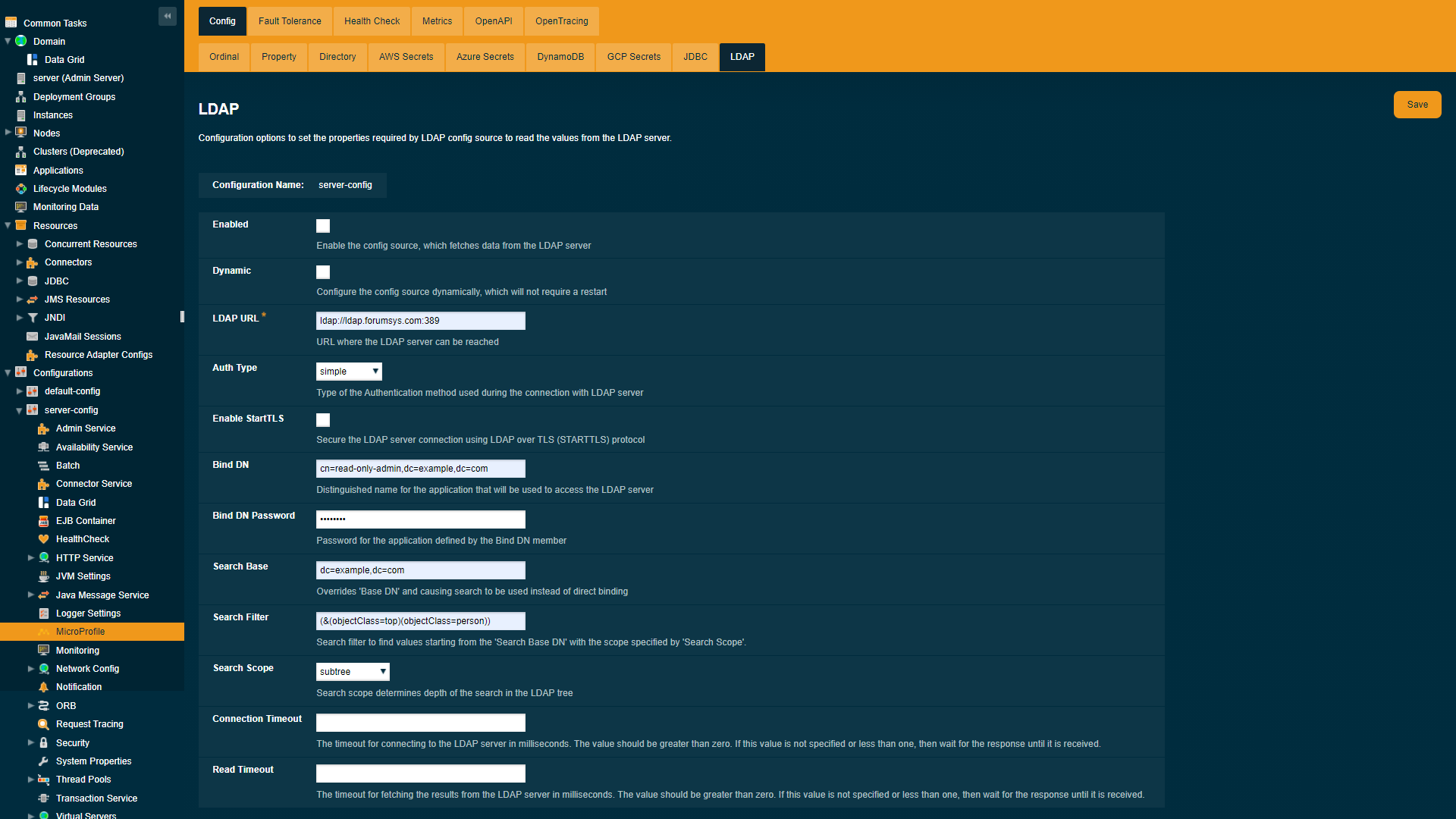
To configure the config source from the admin console, go to Configs → your-config → MicroProfile → Config → LDAP.
Usage
Once all required options are configured, you should be able to read configuration properties from the LDAP directory.
 asadmin> get-config-property --source ldap --propertyName sn
Read Only Admin
Command get-config-property executed successfully.
|
Note
|
Currently, the LDAP config source only supports the get-config-property command and doesn’t support the set-config-property and delete-config-property commands.
|
Finding User Specific Properties
If search filter and search base are not specified then properties fetched from the direct binding of bindDn.
asadmin set-ldap-config-source-configuration --enabled=true --dynamic=true --url=ldap://ldap.forumsys.com:389 --authType=simple --bindDnPassword=password --bindDn=cn=read-only-admin,dc=example,dc=com
 asadmin get-config-property --source ldap --propertyName sn
Read Only Admin
Command get-config-property executed successfully.
Alternatively to fetch the user specific properties, search filter can be specified with attributes unique to specific user. For example, in the following configuration uid is used as user filter in the search query.
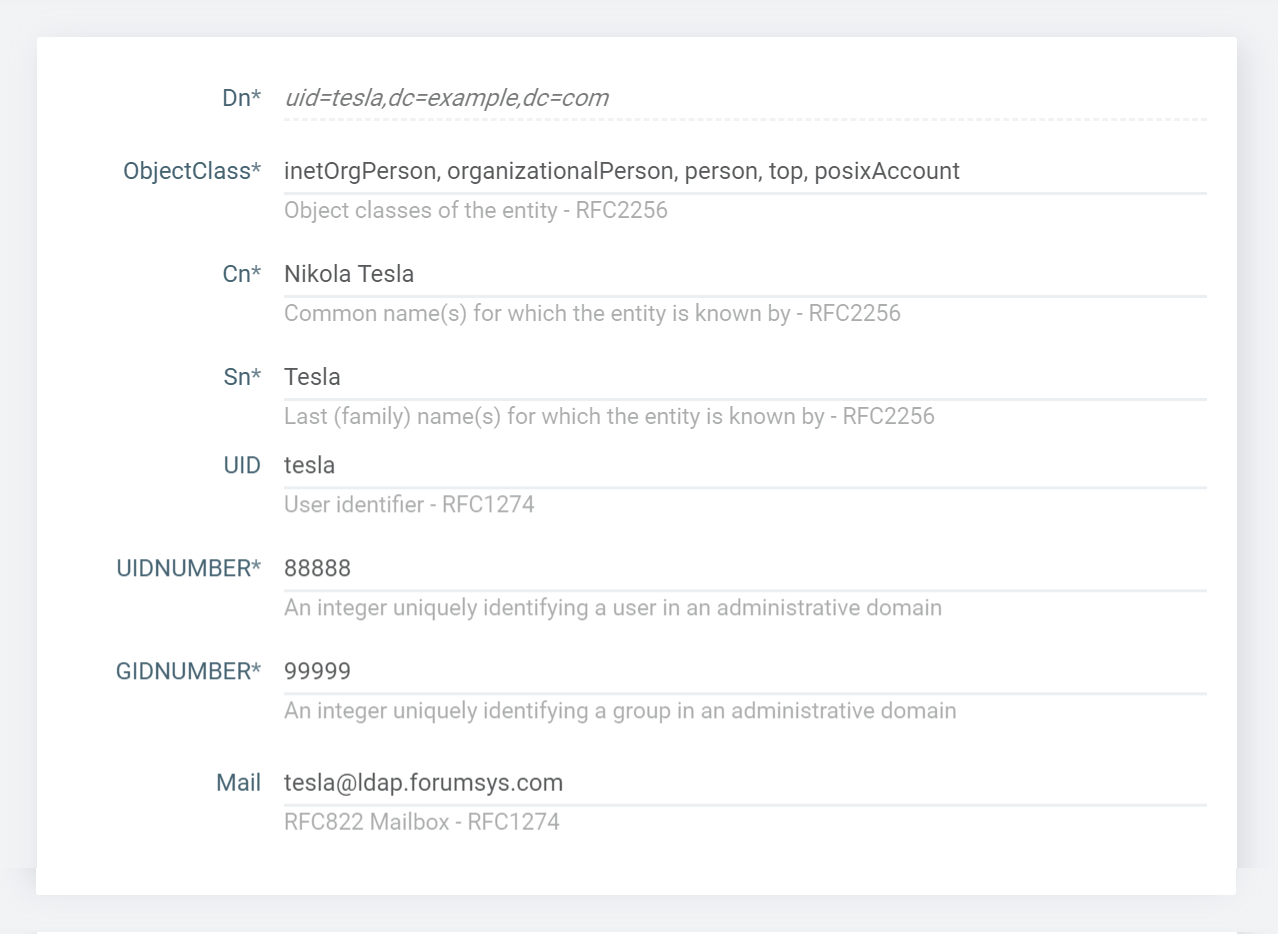
asadmin set-ldap-config-source-configuration --enabled=true --dynamic=true --url=ldap://ldap.forumsys.com:389 --authType=simple --bindDNPassword=password --bindDN=cn=read-only-admin,dc=example,dc=com --searchBase=dc=example,dc=com --searchScope=subtree --searchFilter=(&(uid=tesla))
 asadmin get-config-property --source ldap --propertyName UIDNUMBER
88888
Command get-config-property executed successfully.

asadmin get-config-property --source ldap --propertyName GIDNUMBER
99999
Command get-config-property executed successfully.

asadmin get-config-property --source ldap --propertyName MAIL
[email protected]
Command get-config-property executed successfully.

asadmin get-config-property --source ldap --propertyName sn
Tesla
Command get-config-property executed successfully.
Finding Group Specific Properties
To find properties from the group of users search filter is mandatory to specify. For e.g, In the following configuration objectClass is used as group filter.
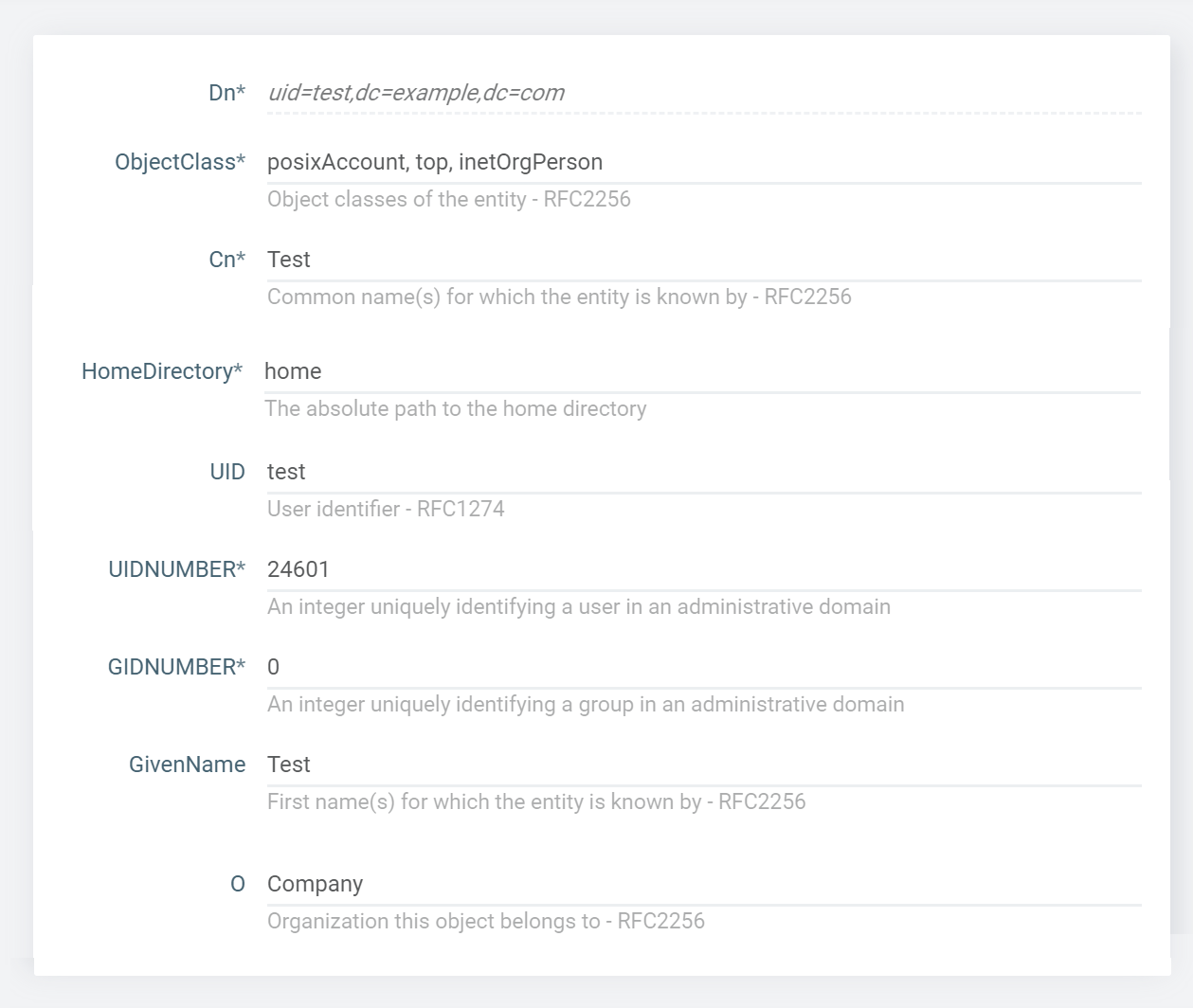
 asadmin set-ldap-config-source-configuration --enabled=true --dynamic=true --url=ldap://ldap.forumsys.com:389 --authType=simple --bindDNPassword=password --bindDN=cn=read-only-admin,dc=example,dc=com
 --searchBase=dc=example,dc=com --searchScope=subtree --searchFilter=(&(objectClass=posixAccount)(objectClass=organizationalPerson))
 asadmin get-config-property --source ldap --propertyName sn
Tesla,Test
Command get-config-property executed successfully.